Reporting Channels
How to Report a Fake Google Review So Google Takes Action: Every Channel Explained (2026-2027)
The “Report review” button is only the first of several ways to report a fake Google review. This guide shows every official channel — on desktop, in the Maps app, from your Business Profile, through Google support, the legal and extortion forms, and even consumer regulators — and when to use each one.
Key takeaways
- Report fake reviews from the Google account that manages your Business Profile so you can track and appeal them.
- Choose the reason that matches the fake: fake engagement or conflict of interest, not just “offensive”.
- Use the review management tool to check status and appeal once.
- Use separate forms for extortion and legal issues.
- Large-scale fake review activity can also be reported to regulators such as the CMA (UK) or FTC (US).
In this guide
How Do You Report a Fake Google Review?
Open the review on Google Maps or Search, click the three dots, choose “Report review” and pick the reason that fits — usually that the review is fake or has a conflict of interest. Do it while signed in as the business owner so you can track the report and appeal it in Google’s review management tool. If it is rejected, appeal once with evidence. For a complete approach, follow our fake review playbook or let our fake review removal team handle it.
Every Channel for Reporting a Fake Google Review
| Channel | Use for | Who can use it |
|---|---|---|
| Report review (Maps / Search) | Any policy breach | Anyone |
| Review management tool | Status checks and appeals | Business owner |
| Business Profile support | Patterns, many fake reviews | Business owner |
| Review extortion form | Demands for money or freebies | Business owner |
| Legal removal form | Defamation, privacy, other legal issues | Affected person or business |
| Regulators (CMA, FTC) | Fake review sellers and organised schemes | Anyone |
How to Report a Fake Review on Desktop
- Search your business on Google or open it on Google Maps.
- Open the reviews and find the fake one.
- Click the three dots beside the review and choose Report review.
- Choose the reason that best fits, such as fake or conflict of interest.
- Submit and note the date.
How to Report a Fake Review in the Google Maps App
- Open Google Maps and find your business.
- Tap Reviews and locate the fake review.
- Tap the three dots and select Report review.
- Pick the reason and submit.
For a device-by-device guide to flagging any review, see how to flag a Google review.
Want a review gone without the guesswork?
Send us the link for a free check. We tell you within hours whether it can be removed — you only pay once we confirm.
How to Report From Your Business Profile and Track It
Reporting from the account that manages your profile links the report to your business. Then open the review management tool to see each reported review’s status. If a report shows “no policy violation”, you can appeal once with extra information. Rejected? Read why your flag didn’t work.
Beyond the Flag: Escalation Channels for Fake Reviews
1Google Business Profile support
If you face many fake reviews, contact Business Profile support from your profile’s help menu and describe the pattern with dates and links.
2Review extortion form
If anyone demands payment, discounts or freebies to stop or remove reviews, use Google’s extortion report. See review blackmail removal.
3Legal removal form
For fake reviews containing false, harmful claims, use report content for legal reasons. See removing defamatory reviews.
4Consumer regulators
In the UK, fake reviews are a banned practice under the DMCC Act 2024 — the CMA’s fake reviews guidance explains the rules. In the US, the FTC’s 2024 rule bans fake reviews. Regulators don’t remove individual reviews, but they act on organised schemes.
What to Include in Your Report or Appeal
- The policy breached, in one sentence.
- The facts: no record of the customer, impossible details, cluster timing.
- Links between the reviewer and a competitor or ex-employee, if known.
- Links to other suspicious reviews in the same pattern.
Not sure it’s fake? Check the 10 red flags. For copy-ready appeal wording, see how to get Google to remove a review.
What Review Removal Looks Like
Before-and-after results from ReviewsEraser clients.
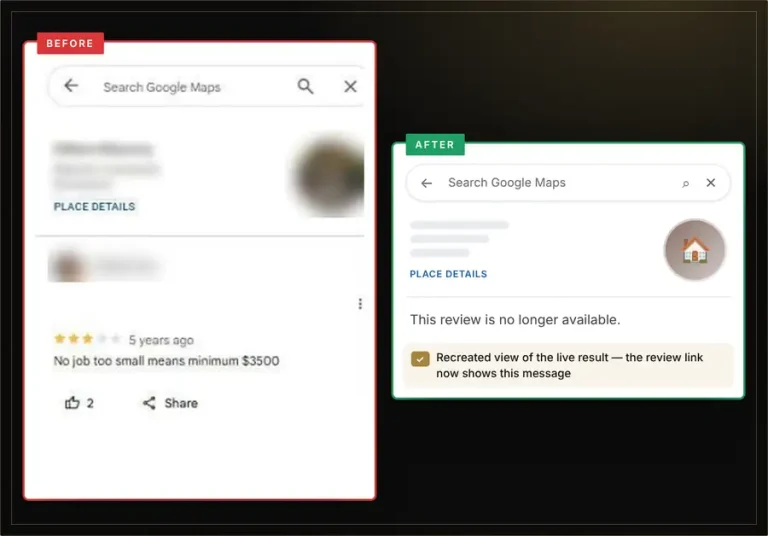
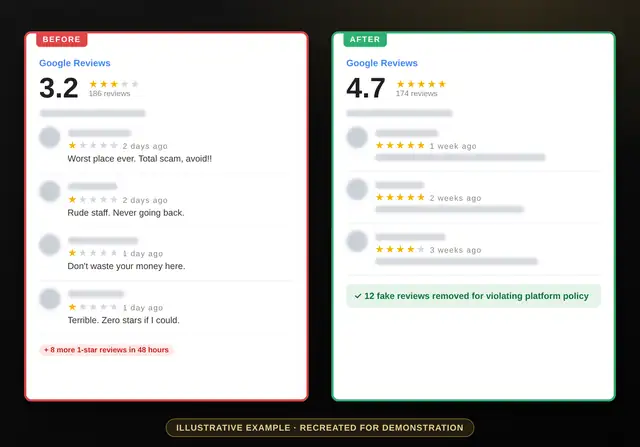
See more results in our review removal case studies.
Related: see the full report-and-appeal walkthrough in how to remove bad reviews from Google My Business, and catch the next one early with how to spot fake Google reviews before they hurt your reputation.
Reporting Fake Google Reviews: FAQs
What reason should I choose when reporting a fake review?
Choose the option that matches best — typically fake engagement or conflict of interest.
Does reporting a review notify the reviewer?
Google does not tell the reviewer who reported their review.
How do I check if my report worked?
Use the review management tool in your Business Profile to see the status.
Should I report the same review more than once?
No. Appeal instead. Repeated flags do not help.
Can customers report fake reviews too?
Yes, anyone can report a review, but only the business owner can use the review management tool to appeal.
Can you report and remove fake reviews for me?
Yes. We usually remove fake reviews within 96 hours, with a 100% refund if a review is not removed.
Reported it and nothing happened?
Send us the link. No login needed, fixed price per review, 100% money-back guarantee.