Reports & Appeals
How to Get Google to Remove a Review: Writing Reports and Appeals That Work (2026-2027)
Google decides whether a review stays or goes — so the way you present your case matters. This guide focuses on the part most owners get wrong: choosing the right channel, citing the right policy and writing a short, evidence-based report or appeal that Google can approve. Includes copy-ready appeal wording.
Key takeaways
- Google acts on policy breaches and legal issues, so your request must name one clearly.
- Use the right channel: report, appeal, legal request or extortion report.
- Lead with facts and evidence, not frustration.
- One clear appeal beats many repeated flags.
- If Google still says no, escalation routes remain.
In this guide
How Do You Get Google to Remove a Review?
Show Google, clearly and briefly, which of its rules or which law the review breaks, through the right channel, with evidence. Start with a report from your Business Profile, track it in the review management tool, and appeal once with facts if it is rejected. Use Google’s legal or extortion forms for those specific issues. For a full overview of every method, read how to remove Google reviews; to hand it over, see our Google review removal service.
Step 1: Choose the Right Channel
| Problem | Channel |
|---|---|
| Fake, spam, off-topic, conflict of interest, abuse, personal info | Report review from your Business Profile |
| Report rejected | Appeal in the review management tool |
| Defamation, privacy, other legal issues | Report content for legal reasons |
| Someone demanding money or freebies | Review extortion report |
| A sudden wave of fake reviews | Report each one, then contact Business Profile support with the pattern |
Step 2: Name the Exact Policy the Review Breaks
Google’s prohibited and restricted content policy lists the categories. Pick the single strongest one:
- Fake engagement — the reviewer had no genuine experience.
- Conflict of interest — competitor, current or former employee, or someone reviewing their own business.
- Off-topic — not about an experience at your business.
- Harassment or hate speech — personal attacks, slurs, threats.
- Personal information — phone numbers, addresses, private details.
- Spam — adverts, links, repeated content.
Our guide to Google review policy violations explains each one with examples.
Want a review gone without the guesswork?
Send us the link for a free check. We tell you within hours whether it can be removed — you only pay once we confirm.
Step 3: Attach the Right Evidence
Match your evidence to the policy you chose:
| Policy | Best evidence |
|---|---|
| Fake engagement | No booking or sale under that name; impossible details |
| Conflict of interest | Proof the reviewer works for a competitor or used to work for you |
| Off-topic | The review describes a different business or a non-customer issue |
| Harassment | The exact words and who they target |
| Defamation | Records showing the factual claims are false, plus evidence of harm |
Step 4: How to Write an Appeal Google Can Approve
- One sentence on the policy: “This review violates Google’s fake engagement policy.”
- Two or three facts: what you checked and what you found.
- Reference your evidence clearly and briefly.
- A clear request: “Please remove this review.”
- Stay neutral — no insults, no speculation about the reviewer’s motives unless you can prove them.
Copy-Ready Appeal Wording
Fake reviewer: “This review violates Google’s fake engagement policy. We have searched our booking and payment records for the period described and found no customer with this name or matching details. The review also refers to a service we do not offer. Please remove it.”
Former employee: “This review violates Google’s conflict of interest policy. The reviewer is a former employee whose employment ended on [month/year], and the review relates to that employment rather than a customer experience. Please remove it.”
Competitor: “This review violates Google’s conflict of interest policy. The reviewer is publicly listed as working for [competitor], a direct competitor located nearby, and has no record as our customer. Please remove it.”
Personal information: “This review shares the full name and personal details of a member of our staff, in breach of Google’s personal information and harassment policies. Please remove it.”
Need reply wording for the public response instead? Use our negative review response templates.
Mistakes That Get Removal Requests Rejected
- Saying the review is “unfair” or “false” without naming a policy.
- Writing long, emotional explanations.
- Reporting the same review many times or asking friends to flag it — see how many reports it takes.
- Using the flag button for a legal issue.
- Offering the reviewer something to remove it.
If Google Still Says No
- Check whether a legal route applies — defamation or GDPR.
- Understand why it failed: why your Google review flag didn’t work.
- Ask a specialist to escalate. We charge a fixed price per review and refund you if it is not removed.
What Review Removal Looks Like
Before-and-after results from ReviewsEraser clients.
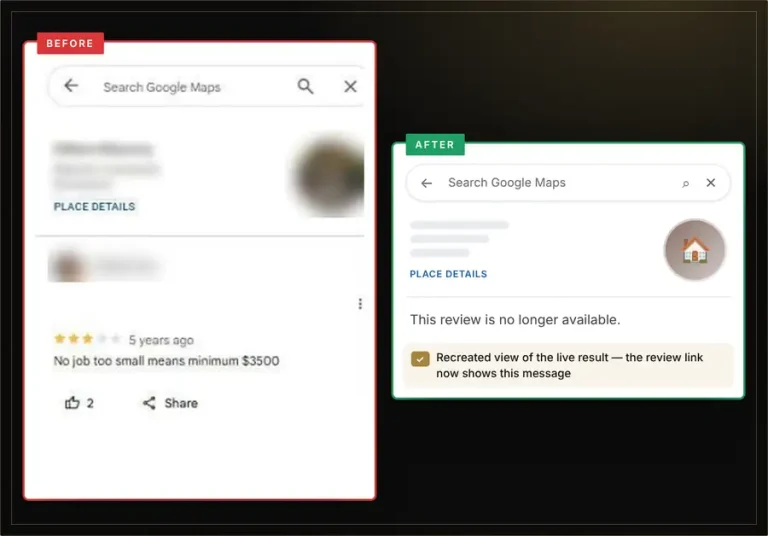
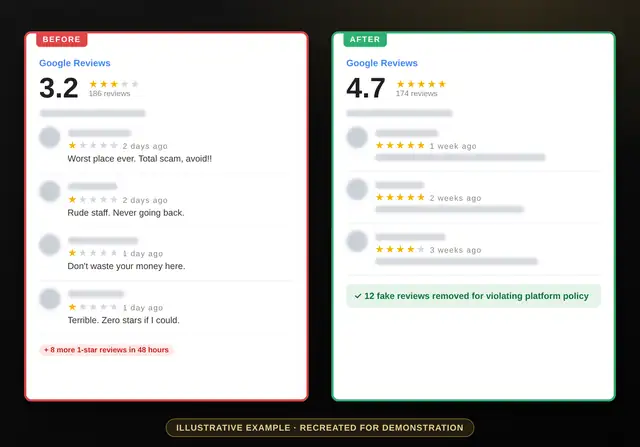
See more results in our review removal case studies.
Getting Google to Remove a Review: FAQs
Can I contact Google directly to remove a review?
You can report reviews, appeal in the review management tool and contact Business Profile support. Google decides based on its policies.
What should I write when reporting a review?
Name one policy, give two or three facts and reference your evidence. Keep it short and neutral.
Does Google remove reviews that are false?
Policy reports cover fake engagement. False factual claims about you may need Google’s legal removal form.
How long does Google take to respond?
Often a few days for reports, longer for appeals and legal requests. See how long removal takes.
Can I get a review removed if the customer is real?
Only if it breaks a policy, such as abuse or personal information. Honest opinions stay.
Can you write and submit the request for me?
Yes. We prepare and submit the case through official channels, usually removing reviews within 96 hours.
Let us make the case to Google
Free assessment, fixed price per review, no login needed, 100% money-back guarantee.