How-To · Flagging
How to Flag a Google Review So Google Actually Takes Action: Desktop, App and Business Profile (2026-2027)
Flagging a Google review takes 30 seconds — flagging it so that Google actually removes it takes a little more thought. This guide shows exactly how to flag a review on desktop, in the Google Maps app and from your Business Profile, what each report reason means, and what to do after you flag.
Key takeaways
- Flag from the Google account that manages your Business Profile so you can track and appeal.
- The report reason you pick decides how Google checks the review.
- Flag each review once; repeat flags don’t help.
- Check the outcome in the review management tool and appeal once if needed.
- Flagging alone won’t remove honest opinions or complex legal cases.
In this guide
What Does Flagging a Google Review Do?
Flagging (reporting) a review asks Google to check it against its content policy. If Google finds a violation — fake engagement, conflict of interest, off-topic, harassment, hate speech, personal information or spam — it removes the review. If not, it stays. Business owners can track flags and appeal in the review management tool. If your flag fails, our Google review removal team can escalate it.
How to Flag a Google Review on Desktop
- Open Google Maps or search for the business on Google.
- Click the reviews to open the full list.
- Hover over the review and click the three dots.
- Choose Report review.
- Select the reason and submit.
How to Flag a Google Review in the Google Maps App
- Open the Maps app on Android or iPhone and find the business.
- Tap Reviews.
- Tap the three dots next to the review.
- Tap Report review, choose the reason and submit.
How to Flag From Your Business Profile
When you’re signed in as the owner, open your Business Profile on Google Search or Maps, go to the reviews, and report the review from there. Reports made by the owner can be tracked and appealed in the review management tool. If you manage several locations, make sure you are signed in to the account that manages the right location.
Want a review gone without the guesswork?
Send us the link for a free check. We tell you within hours whether it can be removed — you only pay once we confirm.
Which Report Reason Should You Choose?
| If the review is… | Choose a reason like… |
|---|---|
| About a different business or topic | Off topic |
| An advert, link or repeated text | Spam |
| From a competitor, employee or ex-employee | Conflict of interest |
| Swearing or vulgar | Profanity |
| Attacking a person | Bullying or harassment |
| Attacking a protected group | Discrimination or hate speech |
| Sharing phone numbers, addresses or private details | Personal information |
| From someone who was never a customer | The closest fake / conflict option, then appeal with evidence |
The exact wording of options can change. Use our policy violations checklist to match your review to the right category.
What Happens After You Flag a Review?
- Automated systems check the review first; some cases get a human review.
- Clear violations are often decided within days; others take longer — see the day-by-day timeline.
- The outcome appears in the review management tool, where you can appeal once.
- Google does not tell the reviewer who reported them.
When Flagging Alone Isn’t Enough
- Rejected flag: see why your flag didn’t work and appeal with evidence.
- Fake reviews that look genuine: follow the fake review playbook.
- Defamation or privacy: use Google’s legal removal form.
- Extortion: use Google’s extortion report.
- All other channels: see every reporting channel explained.
Tips for Flags That Work
- Pick one strong reason rather than the first one that seems close.
- Gather evidence before you flag, so you’re ready to appeal.
- Don’t ask friends or staff to flag it too — see how many reports it takes.
- Reply politely while you wait: reply templates.
What Review Removal Looks Like
Before-and-after results from ReviewsEraser clients.
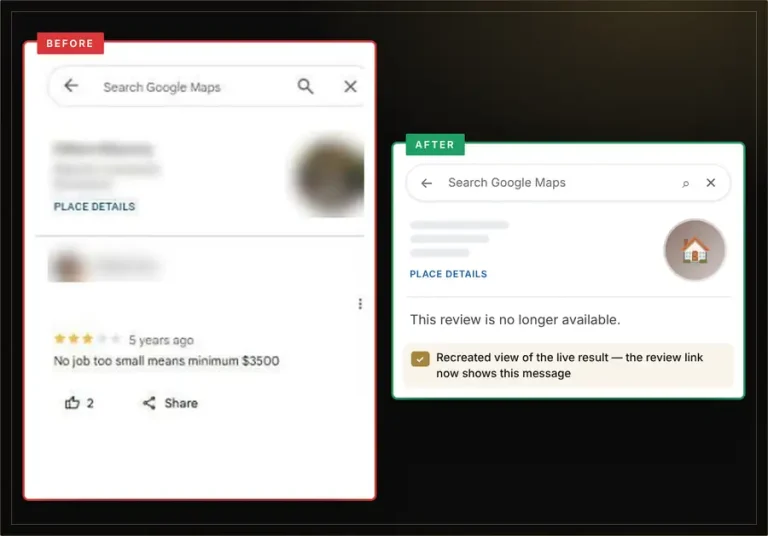
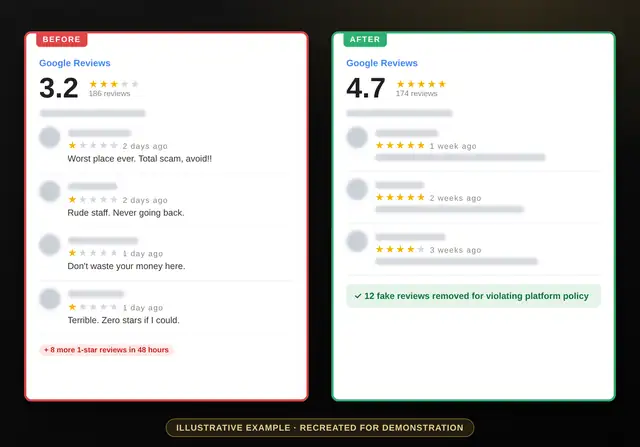
See more results in our review removal case studies.
Flagging Google Reviews: FAQs
How do I flag a Google review?
Open the review, click or tap the three dots, choose Report review, pick a reason and submit.
Can anyone flag a review?
Yes, but only the business owner can track and appeal flags in the review management tool.
How many times should I flag a review?
Once. Use the appeal option if it’s rejected.
Will the reviewer know I flagged them?
Google doesn’t tell reviewers who reported them.
How long does a flag take?
Often a few days for clear violations; longer for others.
What if my flag doesn’t work?
Appeal with evidence, use the legal or extortion forms, or ask us to escalate. We usually remove eligible reviews within 96 hours.
Flagged and still waiting?
Send us the review link. No login needed, fixed price per review, 100% money-back guarantee.