Trustpilot
How to Remove Fake Trustpilot Reviews: Flag, Escalate and Win
The five grounds Trustpilot accepts, how to flag a review correctly, which evidence actually works, and what to do when your flag is rejected.
Last updated September 17, 2026 by the Reviews Eraser content team · fact-checked against Trustpilot’s official Guidelines, Trust Report, and current FTC / UK CMA review regulations.
Your TrustScore drops half a point overnight, and when you go looking for the review that did it, you find one from a name you don’t recognize, describing an order you never fulfilled, a call that never happened, or a product you don’t even sell. It reads like it was written about a different company entirely — because it probably was, or it was never written by a real customer at all.
Trustpilot doesn’t let you delete that review just because you disagree with it. But it does have a formal, evidence-based process for getting genuinely negative reviews removed — and knowing exactly how that process works, what counts as proof, and what doesn’t, is the difference between a review coming down in days and it sitting on your profile for months while you argue with a support inbox. This guide walks through exactly how to remove fake Trustpilot reviews — the grounds Trustpilot accepts, the evidence that works, and what to do when a flag is rejected.
Short version: you can remove fake Trustpilot reviews only where they breach Trustpilot’s guidelines — not simply because the feedback is unflattering.
📌 Key takeaways
- You cannot delete a Trustpilot review yourself, even on a paid plan — you can only flag it for violating one of five specific policies: harmful/illegal content, exposed personal information, advertising, not based on a genuine experience, or posted against the wrong business.
- Flag it from your Trustpilot Business account → open the review → select “Report review” → choose the violation category → submit evidence. Vague objections like “I don’t recognize this customer” are routinely rejected.
- Evidence wins cases: order numbers, booking references, CRM records, and correspondence get reviews removed. General denials almost never do.
- Trustpilot’s Content Integrity team investigates every flag. Reviews flagged for harmful or illegal content are hidden immediately; everything else stays live and visible while under review.
- In 2024, Trustpilot removed 4.5 million negative reviews — 7.4% of everything submitted that year — and 90% were caught automatically, before a human ever looked at them.
- If Trustpilot declines to remove a genuinely false review, your remaining options are a stronger-evidence appeal, a direct retraction request to the reviewer, or legal action against the reviewer — not Trustpilot itself, which is generally not liable for hosting third-party content.
🧭 In this guide
- What counts as a removable review
- How reviews affect customers and AI search
- Why fake reviews are harder to hide
- The 2026 crackdown on fake reviews
- How Trustpilot detects fake reviews
- The 5 grounds for removal
- How to flag a review, step by step
- What happens after you flag
- While your flag is pending
- Evidence that works (and doesn’t)
- How long removal takes
- 2026 removal checklist
- When a review is just negative
- Re-appealing a rejected flag
- Your legal options
- Building a resilient profile
- Trustpilot’s own numbers
- Frequently asked questions
- How ReviewsEraser Can Help
What Actually Counts as a “Negative” Review on Trustpilot
Trustpilot defines a negative review simply: one that doesn’t reflect a genuine service or purchase experience. That sounds obvious until you’re staring at a 1-star review and trying to prove a negative — that something didn’t happen. Trustpilot’s own reviewer guidelines lay out exactly what a review is supposed to be, and every requirement on that list is a potential angle for a legitimate flag.
| Requirement for a Valid Review | What It Means |
|---|---|
| Genuine experience | Must be based on an actual purchase, booking, call, chat, or store visit |
| Recency | The experience must have happened within the last 12 months |
| Age & account | Reviewer must be 18+ with a verified Trustpilot account and valid email |
| No incentives | Cannot have received a discount, refund, or freebie in exchange for the review |
| No conflict of interest | Cannot be an employee, owner, shareholder, or competitor of the business |
A review that fails any one of these isn’t just “unfair” — it’s a policy violation, and policy violations are exactly what Trustpilot’s Content Integrity team is set up to act on.
How Trustpilot Reviews Affect Your Customers — and AI Search
A single negative Trustpilot review rarely stays a single review. It becomes the first thing a prospective customer reads before they trust you with their money — and increasingly, it becomes a data point an AI assistant reads before it recommends you at all.
Trustpilot’s own research puts a number on the human side of that: 66% of consumers say customer reviews influence their buying decisions “often” or “very often,” and 71% say a strong Trustpilot score makes them more likely to buy from a brand, against just 3% who say the opposite. Trust follows the same pattern — 73% of shoppers say a good Trustpilot score increases how much they trust a business, and only 2% disagree. In advertising, the effect compounds: ads that display Trustpilot’s logo and star rating perform 2.5 times better than identical ads without them, and shoppers are ten times more likely to click an ad that combines a strong rating, a large review count, and real testimonials. Even a small swing in that score has weight — research on rating psychology shows customers punish businesses disproportionately once they drop from a 4.7 to a 4.2, which is exactly the range one unresolved negative review can push you into.
That’s the human side. The faster-moving side is what AI search is now doing with the same review data.
AI Overviews, ChatGPT, and Perplexity Are Already Reading Your Reviews
When someone asks Google’s AI Overview, ChatGPT, or Perplexity “is [company] legit” or “best [service] near me,” the answer engine isn’t scrolling through ten blue links the way a human would — it’s synthesizing a one-line verdict from a small set of sources it treats as trustworthy. Structured, aggregated review data from platforms like Trustpilot is exactly the kind of trust signal these systems are built to pull from. This is the shift the SEO industry now calls Answer Engine Optimization (AEO) or Generative Engine Optimization (GEO): visibility no longer just means ranking on page one, it means being the source an AI cites when it answers on your behalf.
That compresses your reputation into a much smaller space. A human reader skims past a bad review buried on page three of your profile. An AI assistant doesn’t skim — it summarizes, and a cluster of unresolved negative reviews can get flattened into a single sentence like “some customers have reported issues with X,” repeated verbatim to everyone who asks. One unresolved review cluster can now shape the answer given to people who never visit your Trustpilot profile at all.
Your Trustpilot score isn’t just a page on a review site anymore. It’s a trust signal human buyers act on directly, and a data source AI search engines increasingly summarize on your behalf — which is exactly why removing reviews that violate Trustpilot’s guidelines, and doing it correctly, matters more in 2026 than it did a few years ago.
Why Fake Trustpilot Reviews Are Getting Harder to Spot
Businesses that succeed when they set out to remove fake Trustpilot reviews share one habit: they document everything before they click report.
Two years ago, spotting a fake Trustpilot review didn’t take much work. The phrasing was stiff, five near-identical five-star ratings landed in the same afternoon, and the account posting them had no history beyond that one review. Generative AI broke that pattern.
A fake review written with a modern language model doesn’t read like a fake review. It has the same rhythm, the same small imperfections, and often the same level of specific detail as something a real customer would write — because the model was trained on millions of real reviews and is very good at reproducing what “authentic” sounds like. That shift is the real story behind the 2026 crackdown covered below: the reviews themselves stopped being the reliable tell.
What changed, specifically:
- Unique wording, every time. A review farm running the same script for years can now generate a differently worded review for each post, which defeats duplicate-content and templated-phrase detection.
- Human-like variance. Sentence length, tone, and even minor typos can be deliberately varied so a batch of reviews doesn’t read like it came from one source.
- Details borrowed from real content. Product names, delivery windows, and support-team names get pulled from a business’s own site or from genuine reviews, so the fake one sounds specific rather than generic.
- Slower, spread-out posting. Instead of ten reviews in one hour, the same volume now lands over two weeks, from rotating devices and residential IP addresses — specifically to avoid tripping velocity-based fraud alerts.
None of this makes fake reviews undetectable — it just means the old signals (bad grammar, obvious bursts, generic praise) catch a shrinking share of them. That’s exactly why the detection methods below have moved past reading the review itself and toward watching the account and the pattern behind it.
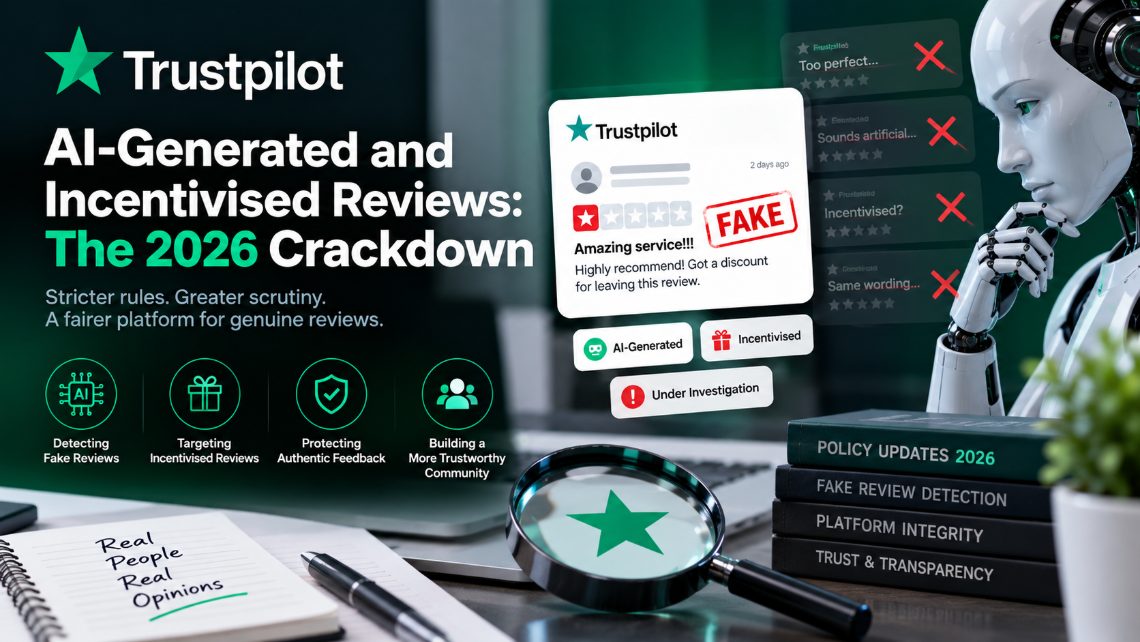
AI-Generated and Incentivised Reviews: The 2026 Crackdown
Every route below assumes the same goal — to remove fake Trustpilot reviews without breaching Trustpilot’s own rules in the process.
Incentivised and AI-written reviews also fall foul of the FTC rule on consumer reviews and testimonials and, in the UK, the CMA’s enforcement powers under the Digital Markets, Competition and Consumers Act.
Two abuse patterns are drawing more attention from Trustpilot — and from regulators — than almost anything else on the platform right now: reviews written by AI rather than real customers, and reviews posted in exchange for a discount, refund, or freebie. Both are explicitly banned under Trustpilot’s guidelines, and as of 2026, both are illegal in two of Trustpilot’s largest markets.
How Trustpilot Catches Them
Trustpilot runs machine learning across its full review volume, looking for the patterns that give AI-generated and incentivised reviews away: unnatural or repetitive language, sudden spikes in review volume for one business, and other statistical anomalies a human moderator would never spot at scale. By Trustpilot’s own account, more than 90% of fake reviews are now removed automatically, without a human ever touching the case, and the company has been layering generative AI on top of that detection system since 2024 specifically to keep pace with AI-written fakes. Flagged content that isn’t clear-cut gets escalated to human moderators, and both businesses and reviewers can appeal a decision.
Why 2026 Is Different: The Law Caught Up
Fake and AI-generated reviews used to be a platform policy problem. Now they’re a legal one, in two of the markets that matter most:
| Jurisdiction | What Changed |
|---|---|
| United States — FTC | The FTC’s Rule on Consumer Reviews and Testimonials, approved 5-0 in August 2024, makes it a directly punishable offense to write, sell, or buy fake reviews — including AI-generated ones — post undisclosed insider reviews, suppress negative reviews through threats, or buy fake engagement. Regulators can now seek civil penalties directly, instead of building an enforcement case company by company. |
| United Kingdom — CMA | The Digital Markets, Competition and Consumers Act 2024 brought its ban on fake and concealed incentivised reviews into force on 6 April 2025, backed by CMA guidance. It requires any business that publishes reviews to take active steps to prevent, detect, and remove fake reviews, and it gives the Competition and Markets Authority power to investigate and fine businesses that don’t. |
What This Means for You
If a review on your Trustpilot profile reads like it was written by a bot, or like someone was paid, refunded, or bribed to post it, you now have two separate paths to get it dealt with: Trustpilot’s own content-integrity team, and — depending on where your business or the reviewer is based — a regulator with the power to act against whoever manipulated it. Flagging it on Trustpilot is still the fastest route, and it’s the one covered step by step below.
How Trustpilot Actually Detects Fake Reviews in 2026
Speed matters. The sooner you act, the easier it is to remove fake Trustpilot reviews before they skew your TrustScore.
Trustpilot publishes its enforcement data in its annual Transparency Report, which is the clearest public picture of how many fake reviews it takes down each year.
Trustpilot doesn’t rely on any single signal to catch a fake review, and reading the text is now the least reliable part of the process. The detection system layers several independent checks, and a review usually has to pass all of them to stay up unquestioned.
The Layers, in Order
- Content and language analysis. Machine learning models scan for phrasing that matches known review-farm templates or AI-generation fingerprints — patterns invisible to a human reader but statistically detectable at scale.
- Account behavior and velocity. How old is the account? How many reviews has it posted, and how fast? A brand-new account that posts once and never returns is treated very differently from an established reviewer with a normal posting history.
- Network analysis. Accounts that share a device fingerprint, IP range, or other technical footprint get linked together, even if their reviews were posted days apart and read nothing alike.
- Verification status. A review generated through Trustpilot’s own invitation flow — sent after a real, timestamped transaction — carries far more built-in trust than an open submission with no purchase link behind it.
- Human escalation. Borderline cases the automated system can’t confidently resolve get routed to a human moderator, and the outcome feeds back into the model as a new training signal.
The practical result — and Trustpilot’s own numbers back this up — is that the large majority of fake reviews never reach human eyes at all; they’re caught and removed automatically before a business even needs to flag them. The one piece of this system a business can directly influence is verification: reviews collected through a proper invitation flow are structurally harder to fake around than open, unsolicited submissions, which is worth keeping in mind before you get to the profile-building advice further down this guide.
The 5 Grounds Trustpilot Accepts to Remove Fake Trustpilot Reviews
None of this works as a one-off. Businesses that consistently remove fake Trustpilot reviews build evidence collection into their normal operations.
These map directly to Trustpilot’s Guidelines for Reviewers — cite the specific clause when you report, and your odds of success rise sharply. Vague complaints rarely remove fake Trustpilot reviews.
Trustpilot doesn’t accept “I don’t like this review” as a removal reason, and no amount of arguing will change that. What it does accept is a flag that falls cleanly into one of five defined categories:
| Flag Category | What Qualifies |
|---|---|
| Harmful or illegal content | Hate speech, threats, violence, obscenity, or defamatory false statements of fact |
| Personal information | Names, phone numbers, emails, or photos of staff not already public on your profile or site |
| Advertising or promotional material | Competitor promotion, unrelated ads, spam, or political/religious content unconnected to the experience |
| Not based on a genuine experience | The reviewer was never a customer, or the review doesn’t describe an actual transaction |
| Wrong business | The review is clearly meant for a different company or location |
Almost every removable negative review falls under “not based on a genuine experience” — which is also the hardest one to win without documentation, because it puts the burden on you to show the reviewer wasn’t actually your customer.
How to Flag a Negative Trustpilot Review, Step by Step
The steps below are the practical route to remove fake Trustpilot reviews from your profile — follow them in order, because skipping the evidence stage is why most flags fail.
The mechanics of flagging a review are simple. What separates a flag that gets actioned in days from one that sits ignored for weeks is what you do before you click submit. Have your evidence gathered and your explanation written before you start — don’t open the flag form and figure it out as you go. Here’s what each step actually involves.
- Log into your Trustpilot Business account and open the review from your dashboard.
This has to be a claimed, verified Business account tied to your domain, not a personal Trustpilot login. If you haven’t claimed your profile yet, that’s step zero — go to Trustpilot’s business sign-up, verify you control the domain (usually by email confirmation to an address at your company, or a short verification code), and you’ll have dashboard access within minutes.Flagging from an unclaimed profile either isn’t possible through the standard interface or, where it is, carries far less weight with the Content Integrity team because they can’t confirm the request is coming from the actual business.
- Free vs. paid plans: every claimed Business account, including the free tier, can flag reviews.
- Finding the review fast: use the Reviews tab’s filters — star rating, date range, or keyword search — rather than scrolling manually, especially if your profile has hundreds of reviews.
- Multiple team members: if more than one person manages your Trustpilot account, agree on who submits flags so you don’t end up with duplicate submissions for the same review, which can confuse the investigation.
Paid plans add faster support response times and more dashboard tools, but flagging itself isn’t gated behind a paywall.
- Click the flag or “Report review” option on the review itself.
This is easy to miss because Trustpilot doesn’t make it a prominent button — it’s a deliberate design choice to reduce frivolous flagging.- On desktop: hover over the review card in your dashboard; a flag icon or a three-dot (…) menu appears in the corner.
- On mobile: the option is usually reached by tapping the review to expand it first, then tapping the menu icon — the layout varies slightly between the Trustpilot Business app and the mobile browser view.
- If you don’t see the option at all: double-check the profile is claimed and verified under the account you’re logged into.
Click it and select “Report review” or “Flag review” from the dropdown.
- Select the specific violation category.
Trustpilot’s flag form asks you to choose which guideline the review breaches. Match it precisely — the five accepted grounds are:- No genuine transaction: the reviewer was never a customer, or the transaction they describe didn’t happen with your business.
- Off-topic content: the review targets a different company, or discusses something unrelated to a genuine customer experience.
- Hate speech or profanity: the review contains discriminatory language, slurs, or gratuitous obscenity.
- Conflict of interest: the review comes from a competitor, an employee, or someone with a personal stake in damaging your rating.
- Personal or confidential data: the review exposes private information — names of staff members, medical details, financial account numbers, and similar.
If more than one ground technically applies, pick the one you can prove most directly rather than the one that sounds most serious — a flag backed by hard evidence on one clear ground outperforms a flag that vaguely gestures at three.
- Write a short, factual explanation.
Most flag forms include a free-text box, and this is where a lot of businesses undersell a strong case. Aim for two or three sentences that state, plainly, what’s wrong and why it matters.- Do: reference specific, checkable facts — “No order exists under this name or email for the date the review claims, per our order system records from [date range].”
- Don’t: argue that the review is unfair, exaggerated, or hurtful — none of that is a removal ground on its own, and it signals to the moderator that you may be disputing tone rather than authenticity.
- Keep it factual and short: a tight, evidence-anchored paragraph is easier for a moderator to verify quickly than a long narrative.
- Attach your evidence in a reviewable format.
Evidence is what actually moves a flag from “claim” to “verified.” PDFs, dated screenshots, and CSV exports from your order or CRM system all work well.- Strongest evidence: order confirmations, payment records, or booking system entries that directly show no matching transaction exists.
- Supporting evidence: CRM notes, support ticket logs, or internal account records that corroborate the same point from a second system.
- Redact before uploading: if a document contains other customers’ personal data, black it out first — Trustpilot only needs enough to confirm the specific claim, not your full database.
- Label clearly: name files descriptively (e.g., “order-search-no-match-2026-08-14.pdf”) so the moderator isn’t guessing what each attachment proves.
- Submit the flag and log it immediately.
Once submitted, record the case in a simple tracking sheet before you move on to anything else — it’s easy to forget the details once a few weeks pass.- What to log: the submission date, the reviewer’s username, which of the five grounds you flagged under, and a short note on what evidence you attached.
- Why it matters: if the flag is rejected and needs a re-appeal, or if this ever needs to support a legal claim, that record is what lets you reconstruct the timeline accurately instead of relying on memory.
- Reply publicly to the review while you wait.
A flag being under investigation doesn’t remove the review from public view in the meantime, so don’t leave it unanswered.- Keep it brief and calm: acknowledge the concern, state the facts you can share publicly, and invite the reviewer to contact you directly to resolve it.
- Avoid: disputing specific order details in public (see the section above on responding while a review is still live) — save specifics for the flag itself and Trustpilot’s private investigation.
- Wait for the Content Integrity team’s decision.
Trustpilot notifies you by email once the investigation closes, with a short explanation of the outcome.- If removed: the review typically disappears from your profile within a day of the decision, and your TrustScore recalculates automatically.
- If rejected: the email usually gives a brief reason. Don’t treat a single rejection as final — move straight into the re-appeal process covered later in this guide, using the reason given to strengthen your resubmission.
An unclaimed or unverified profile often hides moderation tools entirely.
In practice, flags that include specific, verifiable evidence from the start consistently move faster than flags submitted with a one-line explanation and no attachments — the extra ten minutes spent gathering proof upfront is rarely wasted.
What Happens After You Submit a Flag
Timelines matter when you are trying to remove fake Trustpilot reviews before they damage your TrustScore further.
Once a review is flagged, it goes to Trustpilot’s Content Integrity team, not a generic support queue. What happens next depends on the category:
- Harmful or illegal content is hidden immediately while the investigation runs.
- Every other category stays visible on your profile during the review — flagging it does not pull it down while Trustpilot investigates.
- For some cases, Trustpilot contacts the reviewer directly and gives them three days to verify or provide more detail about their experience before a final decision is made.
- You’ll receive an email with the outcome once the investigation closes.
- If you disagree with the decision, you can appeal by replying to that email with additional evidence for a manual re-review.
Want a review gone without the guesswork?
Send us the link for a free check. We tell you within hours whether it can be removed — you only pay once we confirm.
What to Do While Your Review Flag Is Still Pending
If the volume is high or the reviewer is persistent, a specialist is usually faster than trying to remove fake Trustpilot reviews alone.
Flagging the review is the first move, not the last one. Depending on the violation category, Trustpilot’s investigation can take anywhere from a few hours to several days — and during that window, the review is still live, still visible, and still something you have to manage.
Don’t
- Argue publicly in the replies. A back-and-forth with a reviewer — especially one who won’t engage in good faith — reads worse to future visitors than the original review did, and it’s permanent.
- Confirm specific order or customer details in public. If you believe the review isn’t genuine, publicly “correcting” details you shouldn’t have can undercut your own flag, which rests partly on the reviewer not being a real customer at all.
- Ask staff, friends, or family to post competing reviews. This is exactly the incentivized, coordinated pattern Trustpilot’s detection system is built to catch, and it can get your own account flagged.
Do
- Screenshot the review immediately, with the date and reviewer name visible — reviews can be edited or deleted before a flag resolves, and a screenshot preserves your evidence either way.
- Post one calm, factual reply — something as simple as noting the claim doesn’t match any record you can find, and that you take the feedback seriously — so visitors who see the review during the pending window see a measured response, not silence.
- Keep collecting evidence in parallel with the flag itself; if the first review isn’t genuine, related ones sometimes surface from the same source while you’re looking.
- Check other platforms. A coordinated or inauthentic review rarely stays confined to one site — if you’re seeing this on Trustpilot, it’s worth a quick check of Google and other profiles too.
Evidence That Gets Reviews Removed (vs. Evidence That Doesn’t)
The checklist below is what we use internally when clients ask us to remove fake Trustpilot reviews on their behalf.
| Works | Doesn’t Work |
|---|---|
| Order numbers, invoices, or booking references that don’t match any customer record | “I don’t remember this customer” |
| CRM or POS export showing no account tied to the reviewer’s name or email | “This seems negative to me” |
| Employment or ownership records showing the reviewer is a competitor or ex-employee | “We would never treat a customer like that” |
| Timestamps proving the reviewer’s described visit couldn’t have happened (closed location, date mismatch) | General disagreement with a low star rating |
The pattern is simple: Trustpilot’s Content Integrity team needs something to check against a record, not a character reference for your business. If you’re not sure whether what you have is strong enough, that’s exactly the kind of case our Trustpilot review removal service is built to assess before you submit a flag that gets rejected.
Not sure if your Trustpilot review qualifies for removal — or what evidence you actually need?
How Long Does It Actually Take?
Trustpilot doesn’t publish a fixed turnaround time, and that’s the honest answer, not a dodge. What determines the timeline is the category: reviews flagged for harmful or illegal content are hidden immediately and typically resolve fastest, since there’s no visible damage accumulating while the investigation runs. Reviews flagged as “not a genuine experience” take longer, especially when Trustpilot reaches out to the reviewer for verification — that alone can add several days, since the reviewer is given a three-day window to respond. Cases with strong, specific documentation attached from the start consistently move faster than flags submitted with a one-line explanation and no evidence.
The 2026 Trustpilot Review Removal Checklist
If you’ve read this far, you already understand the theory. This section strips it down to a working checklist you can follow in order, whether you’re dealing with one suspicious review or a coordinated cluster of them.
- Screenshot everything first. Capture the review, the reviewer’s profile, and the surrounding review list before you flag anything. Trustpilot’s interface changes as reviews are actioned, and you want a dated record of what the page looked like before you touched it.
- Match the review against the 5 grounds. Don’t flag on a hunch. Identify which specific guideline the review breaks — no genuine transaction, off-topic content, hate speech or profanity, conflict of interest, or personal/confidential data — and be ready to say so in one sentence.
- Pull your internal evidence. Order records, CRM entries, support tickets, or account logs that show the reviewer either isn’t a customer or that their account of events doesn’t match what actually happened.
- Flag through the correct channel. Use your Trustpilot Business account rather than a generic contact form, and attach evidence directly to the flag where the interface allows it.
- Log the submission. Note the date, the reviewer’s username, and which ground you flagged under. If this escalates later, that paper trail matters.
- Reply publicly while you wait. A calm, factual public reply protects your rating with human readers even before Trustpilot rules on the flag — see the section above on responding while a review is still live.
- Track the timeline. Follow up if you haven’t heard back inside Trustpilot’s stated review window, and keep every email in one thread.
- If rejected, don’t stop. Move straight into the re-appeal process below rather than treating a single “no” as final.
Most businesses lose reviews they were entitled to remove not because the review was defensible, but because a step in this list got skipped — usually the evidence, or the follow-up.
When the Review Isn’t a Violation — It’s Just Negative
Not every damaging review is a policy violation, and it’s worth being honest with yourself about which kind you’re dealing with before you spend time on a flag that won’t go anywhere. A review from a real customer describing a real bad experience — slow shipping, a rude call, a product that didn’t meet expectations — is exactly the kind of content Trustpilot is designed to protect, even when it costs you stars.
For that review, flagging isn’t the tool. A calm, specific public response is: acknowledge what went wrong, explain what changed, and give future readers something other than the complaint to weigh. Genuine reviews you disagree with don’t get removed by disputing them — they get outweighed, over time, by a steady stream of new genuine reviews from customers who had a better experience. That’s the slow path. The fast path only exists for reviews that actually break the rules.
Trustpilot Rejected Your Flag? Here’s Your Re-Appeal Playbook
A rejected flag feels final, but it usually isn’t. Trustpilot’s moderation team reviews thousands of flags against a fixed set of criteria, and a “no” often means your first submission didn’t give them enough to act on — not that the review is untouchable. Before you accept the outcome, work through it properly.
Diagnose the Rejection
Start by reading the rejection message closely rather than resubmitting the same flag again. Trustpilot usually tells you, in general terms, why a flag didn’t meet the bar. Common reasons include:
- The evidence you provided didn’t clearly connect to one of the 5 accepted grounds.
- The flag described the review as unfair or inaccurate rather than as a guideline violation — Trustpilot doesn’t remove reviews just because a business disagrees with them.
- The submission was vague where it needed to be specific, such as naming a date or order number that could be checked.
Strengthen and Resubmit
Once you know why the first attempt fell short, rebuild the flag rather than repeating it:
- Add documentary proof. Order confirmations, account records, or timestamped support tickets carry more weight than a written explanation on its own.
- Narrow the claim. Anchor the appeal to one specific guideline and explain, in a sentence or two, exactly how the review breaches it.
- Request a named escalation. If your account manager or Trustpilot Business support can escalate the case to a senior moderator, ask for that explicitly rather than resubmitting through the standard flag form a second time.
- Keep a paper trail. Every appeal, reply, and piece of evidence should live in one place so that if this ultimately needs legal attention, nothing is missing.
If a well-evidenced re-appeal is still rejected, that’s the point where the legal options covered later in this guide — including GDPR-based erasure requests and defamation routes — become the more realistic path forward.
If Trustpilot Says No: Your Legal Options
When a flag is rejected and you’re confident the review is still false — not just negative, but built on fabricated facts — you have options beyond Trustpilot’s own process. This isn’t legal advice, and the right path depends on your jurisdiction and the specifics of what was written, so talk to an attorney before taking formal action. But broadly:
- Re-appeal with stronger evidence. A rejected flag isn’t final; a reply to the decision email with more specific documentation triggers a manual re-review.
- Request a retraction directly. Some reviewers will edit or delete a review once they realize it names the wrong business or that legal exposure is on the table.
- Understand the opinion-vs-fact line. A reviewer is allowed to say a business is “terrible” — that’s opinion. A reviewer is not protected for inventing a specific false fact (“they charged my card without authorization”) that never happened — that can be defamation.
- Know who you can actually sue. In most jurisdictions, platforms like Trustpilot are shielded from liability for hosting third-party reviews, similar to Section 230 protections in the US. Legal action for a defamatory review is generally directed at the individual reviewer, not the platform.
- A cease-and-desist letter from an attorney is often enough to get a genuinely defamatory review taken down without a lawsuit, especially once the reviewer understands they can be identified.
If you or the reviewer are based in the EU or UK, there’s a separate angle worth knowing: individuals have a right to request that platforms erase personal data tied to them, which has been used in specific cases against reviews that identify someone by name. See our guide to GDPR’s right to erasure and reviews for how that process works and where it does — and doesn’t — apply.
Building a Trustpilot Profile Review Bombing Can’t Touch
Removing individual bad reviews is defensive. The more durable strategy is making your profile the kind that a handful of malicious or coordinated reviews can’t meaningfully damage in the first place. A business with 40 reviews can be knocked from 4.5 to 3.5 stars by a single cluster of coordinated one-star reviews. A business with 4,000 reviews barely moves.
Five Habits That Build Resilience
- Ask for reviews continuously, not in bursts. A steady trickle of genuine reviews from real customers dilutes the impact of any attack and looks more natural to Trustpilot’s own detection systems than a sudden spike.
- Automate the request at the right moment. Trigger review invitations right after a successful delivery or resolved support case, when the experience is freshest and customers are most likely to respond honestly.
- Verify wherever Trustpilot allows it. Verified, invitation-based reviews are harder to manipulate and carry more weight, both with human readers and with Trustpilot’s own moderation.
- Respond to every review, good or bad. A business that visibly replies to negative feedback signals to both customers and Trustpilot that it engages honestly rather than only managing its rating reactively.
- Monitor weekly, not just when something goes wrong. Catching a suspicious review within days — rather than discovering it weeks later during a routine check — makes flagging faster and evidence easier to gather while records are still fresh.
These habits also matter beyond Trustpilot itself. The same review-bombing patterns that target Trustpilot profiles show up on Google Business Profiles, and the defensive playbook is similar in both places — our Google review-bombing survival guide walks through that side in detail. Together, a resilient review base and a fast, evidence-led removal process are what keep one bad week from becoming a lasting mark on your rating.
Trustpilot’s Own Numbers Prove Review Manipulation Is a Real Problem
This isn’t a fringe issue Trustpilot downplays — the company publishes an annual Trust Report specifically because manipulated and rule-breaking reviews are a measurable, ongoing problem at scale. The most recent report, covering 2024 and published in May 2025, put real numbers on it:
| Metric (2024, published May 2025) | Figure |
|---|---|
| Negative reviews detected and removed | 4.5 million |
| Share of all reviews submitted that were negative | 7.4% |
| Total reviews submitted in 2024 | 61 million |
| Total reviews on the platform (all-time) | Over 300 million |
| Negative reviews caught automatically (no human review needed) | 90% |
| Growth in automated detection vs. 2023 | +53% |
| Reviews flagged by consumers | 92,000 |
| Reviews flagged by businesses | 601,000 |
The takeaway for any business dealing with a suspicious review: you are not the first to flag something, and Trustpilot’s own systems are actively looking for exactly the kind of manipulation you’re reporting. That doesn’t guarantee your flag succeeds — but it does mean the process exists, works at real scale, and rewards a well-documented report over an emotional one.
Trustpilot Review Removal — Frequently Asked Questions
Can a business delete a Trustpilot review themselves?
No. Even on a paid Trustpilot Business plan, you cannot delete reviews directly. You can only flag a review for violating one of Trustpilot’s five content policies, and Trustpilot’s Content Integrity team decides whether it comes down.
How long does Trustpilot take to remove a negative review?
There’s no fixed published timeline. Reviews flagged for harmful or illegal content are hidden immediately during investigation. Other categories can take longer, particularly when Trustpilot contacts the reviewer for verification, which allows up to three days for a response.
Does flagging a review hurt my TrustScore while it’s under review?
No. Flagging a review doesn’t change your TrustScore by itself, and most flagged reviews remain visible (and factored into your score) until a decision is reached — the exception is harmful or illegal content, which is hidden immediately.
Can I get a review removed just because it’s negative?
No. A negative review based on a genuine experience is exactly what Trustpilot is designed to protect, even if it costs you stars. Removal requires a specific policy violation — not disagreement with the rating or the opinion expressed.
What if the reviewer was never actually a customer?
That’s the “not based on a genuine experience” flag category. You’ll need to support it with evidence — order records, CRM data, or booking references showing no match to the reviewer’s name, email, or described transaction.
Can I sue someone for posting a negative Trustpilot review?
Potentially, if the review contains false statements of fact (not just a negative opinion) that damage your business. Legal action is generally directed at the individual reviewer rather than Trustpilot itself, since platforms are typically shielded from liability for third-party content. Consult an attorney before pursuing this route.
Does Trustpilot charge businesses to remove negative reviews?
No. Flagging and disputing reviews through Trustpilot’s own process is free and available to any business, paid plan or not. Third-party services exist to help prepare stronger evidence and manage the flagging and appeals process on your behalf.
Got a Trustpilot review that breaks the rules?
Send us the link for a free check. We tell you within hours whether it can be removed, and you only pay once we confirm.